
Product Loyalty allows you to offer special deals to customers when they purchase two or more of the same product.
Example: Buy one coffee and get the second one free.
To set up a Product Loyalty offer:
- Go to Discounts and select Product Loyalty.
- Choose the Store/Restaurant.
- Select the Category, then specify whether the offer applies to a single product within that category or to all products in the category.
- Add the free item the customer will receive when they purchase the required quantity
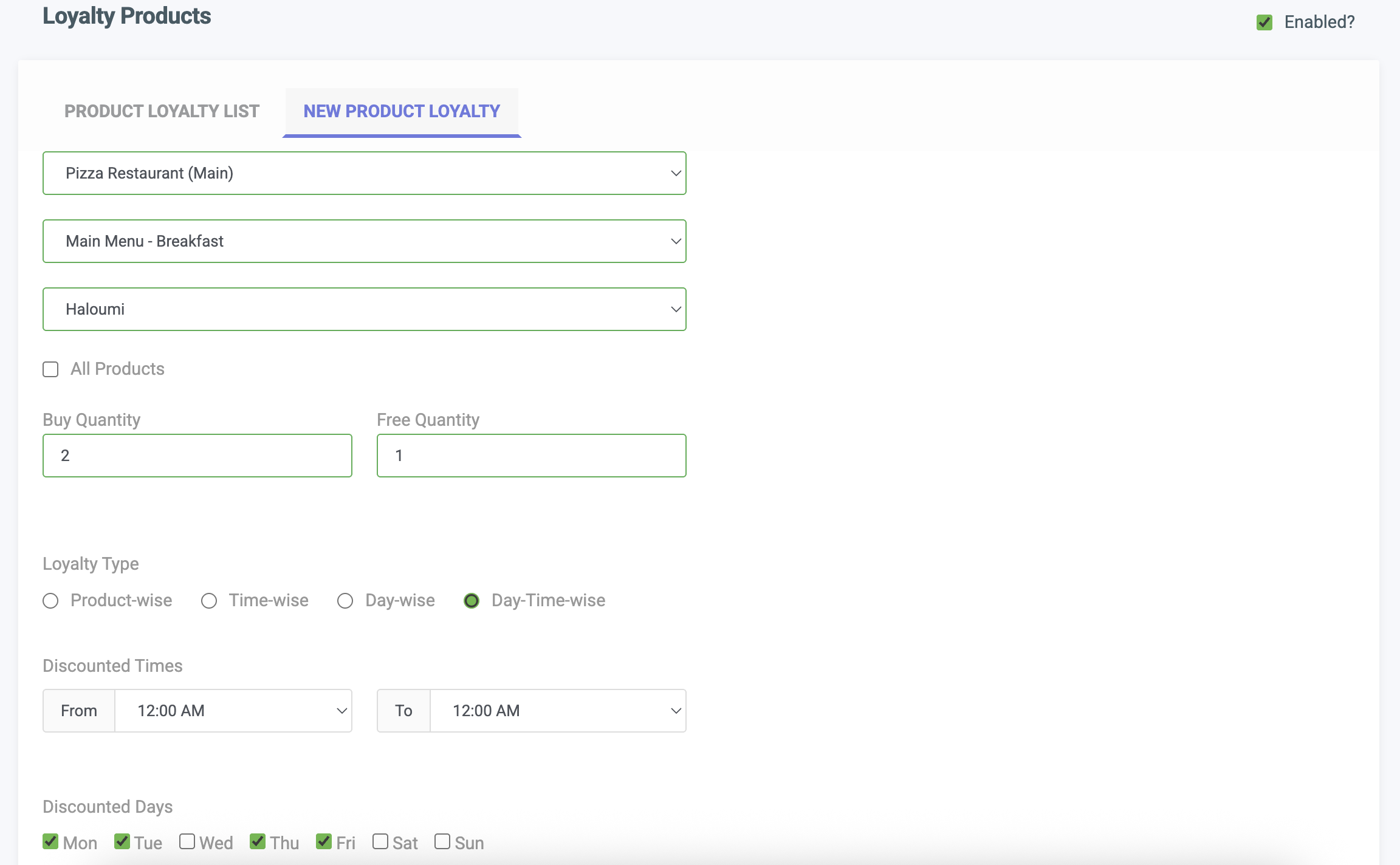
Product Loyalty Discount POS Software